
How turn management works
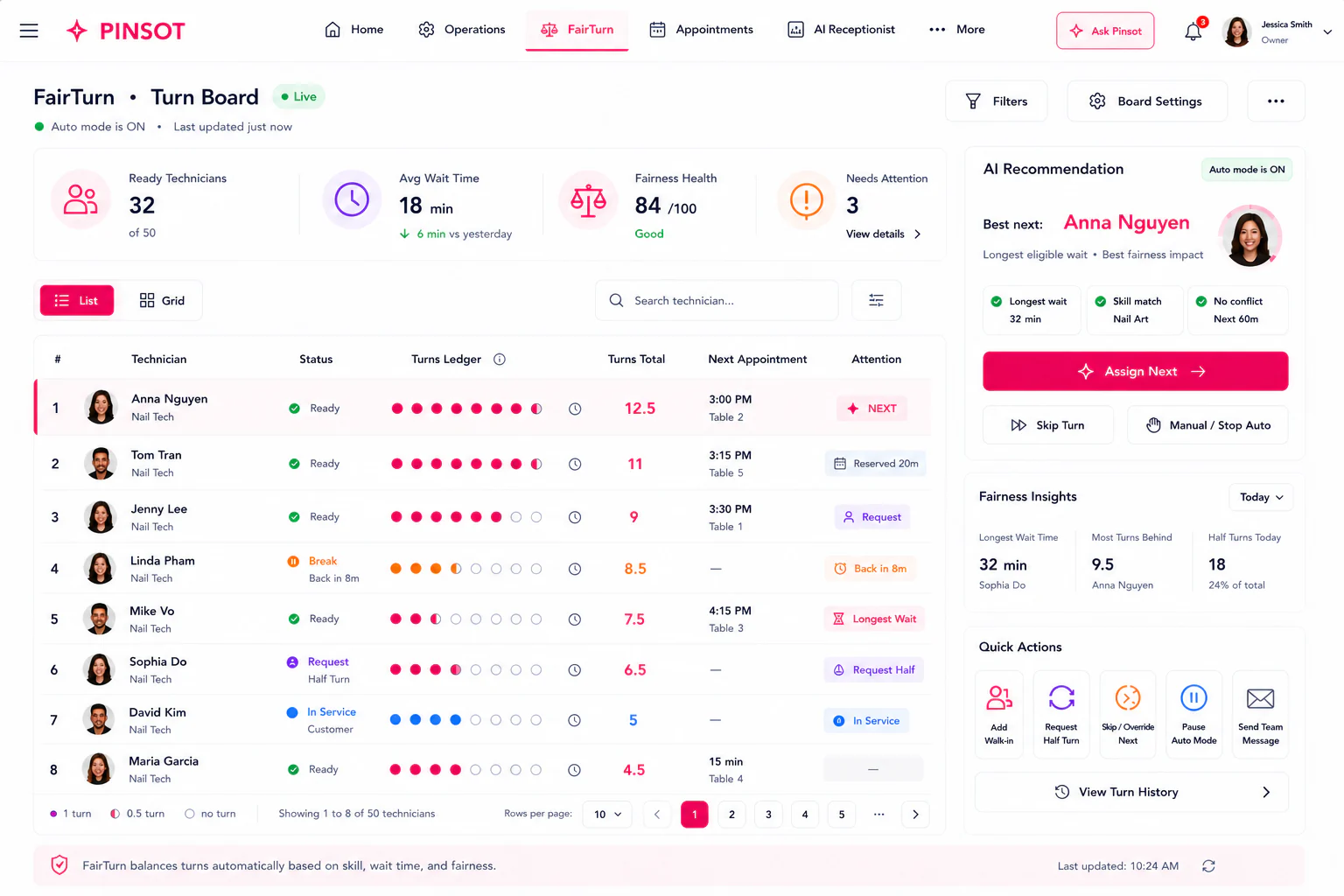
Use the Turn Board as an explainable operational aid with human oversight.
Salon → Turn management
Prerequisites
- An individual authorized Pinsot account for the correct salon and location.
- The salon information, source record, or client instruction needed to complete the workflow accurately.
- Permission from the salon to make the described change or record the described action.
How to do it
- 1
Confirm the salon's current turn rules and eligible technicians.
- 2
Review the Turn Board before assigning a flexible client.
- 3
Keep requested technicians, skill requirements, availability, and active work visible.
- 4
Record an approved skip, reassignment, or override with a clear reason.
- 5
Have an owner or authorized manager review disputes and recurring patterns.
How location affects this task
The selected organization and salon location determine the records, settings, business date, and permissions used by this workflow. Confirm both before saving.
The how turn management works workflow is recorded in the correct workspace and its visible result matches the salon's source information.
- Pinsot supports the salon's process; the salon is responsible for its workforce, commission, and fairness decisions.
- Do not allow an automated suggestion to make an irreversible employment, disciplinary, or pay decision.
Troubleshooting
- If a control is missing, confirm the active salon, location, role, and feature status before retrying.
- Refresh or sign in again once, then stop repeating the action if the result is still unknown.
- Record the approximate time, safe error text, and affected workflow for support@pinsot.com; never include passwords, access codes, or full payment details.
If the steps do not resolve the issue, email support@pinsot.com from an address associated with your account. Include the salon and location names, approximate time, affected record, expected result, actual result, and safe error text. Remove passwords, verification codes, payment credentials, government identifiers, and unrelated client data.